 Elyaz
Choose a sample style you can repeat
Write a few ordinary words on scrap paper first. Use the size, slant and pen pressure you can comfortably maintain. A highly decorated capital beside very small everyday lowercase letters can make a sentence look uneven.
Use only your own writing. Keep unusual forms readable, particularly digits and letters that resemble each other. If the app asks for particular characters, follow the displayed character prompts rather than guessing from an alphabet you found elsewhere.
Capture without adding avoidable distortion
For the paper route, use the app's template and keep each sample inside its intended area. Photograph from above with even light and a clear view of the complete sheet. Avoid a shadow from the phone crossing the writing.
For drawing on screen, choose a finger or stylus you can control comfortably and review the result before continuing. A neat-looking single character still needs to work beside neighbouring letters in a word.
Test a small page before a long letter
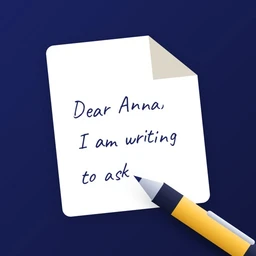
Preview a short original sentence that includes names, dates, punctuation and repeated letters. Check whether the writing remains readable at the intended printed size. Fix a problematic sample before spending time on a longer document.
Elyaz allows incomplete handwriting input: supplied characters use your samples and remaining characters can use the built-in writing. Review those transitions in the preview. The app does not add a signature; if a document needs your handwritten signature, handle that separately after checking the recipient's requirements.
- Keep the original template if you want to revise samples.
- Review repeated letters as well as the alphabet.
- Use the full-page preview before deciding to export.